


Pinterest to MP3 converter

Pinterest to MP3 Converter – Extract Audio Free

Extract and download audio from any Pinterest video for free. No signup required.

Process

How to convert Pinterest video to MP3

Extract audio from any Pinterest video in 3 simple steps.

  1. Step 1 – Copy Pinterest video URL

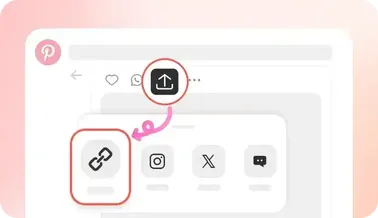
    Copy the Pinterest video link

    Open Pinterest and find any video pin you want the audio from. On mobile, tap the share icon and copy the link. On desktop, copy the URL from your address bar.

  2. Step 2 – Paste URL

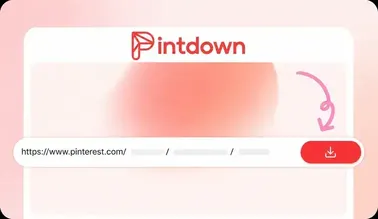
    Paste the URL and extract

    Paste the Pinterest video URL into the input box above and click 'Extract Audio'. PintDown will analyze the pin and prepare your MP3 in seconds.

  3. Step 3 – Download MP3

    Download your MP3

    Click the 'Download MP3' button. Your audio file will be saved directly to your device at 192kbps high quality.

Benefits

Why use PintDown's Pinterest MP3 Converter?

Instant audio extraction

Our server processes and extracts the audio from Pinterest videos in just a few seconds.

Completely free

No subscription, no signup, no credit card required for standard personal conversions.

Works on any device

Use PintDown on your phone, tablet, or computer. No app download required — works in the browser.

No long-term file storage

Converted MP3 files are removed from our servers after the download transfer.

192kbps target quality

Downloads target 192kbps bitrate when the source video includes usable audio.

Public video pins only

Works with public Pinterest video pins. Private pins and pins without audio cannot be converted.

Limits

MP3 conversion tips & limitations

Honest expectations before you paste a pin.

  • Only video (or animated) pins with a soundtrack can produce MP3. Silent clips will fail extraction.
  • Quality is capped by the source upload—PintDown cannot invent clearer audio than Pinterest hosts.
  • Use downloads for personal, lawful purposes. Extracted tracks may be copyrighted; redistribution is your responsibility.
  • If conversion fails, confirm the pin is public and plays with sound on Pinterest first.

How to extract audio from a Pinterest video

Copy a public Pinterest video pin URL. Open pintdown.site/mp3, paste the link, and run Extract Audio. When analysis finishes, download the MP3 to your device. Image-only pins and silent videos cannot produce an audio file.

When MP3 conversion works best

Music clips, spoken tutorials, and podcast-style pins convert cleanly when Pinterest hosts a video stream with a soundtrack. Use this tool when you need audio only—for practice, reference listening, or offline playback without the full video file.

Quality, privacy, and limits

Downloads target 192kbps when the source has audio. PintDown does not ask for your Pinterest password, and temporary conversion files are removed after the transfer. Private, deleted, or muted pins will fail—switch to a public video pin with sound and retry.

Related guides

More help for audio and video workflows:

FAQs

Pinterest to MP3 – Frequently Asked Questions

Copy the Pinterest video pin URL, paste it into PintDown's MP3 Converter, and click Extract Audio. Then click Download MP3 to save the audio file.

Yes, 100% free. No signup or subscription needed.

PintDown extracts audio at 192kbps, which is suitable for music, podcasts, and general listening when the source video has audio.

You can convert public Pinterest video pins that include an audio track. Static image pins and pins without audio cannot produce an MP3.

No. After conversion, the file is streamed to your browser and temporary conversion files are removed from the server.

Use a public video pin URL (not a board or profile URL). Some pins may be private, deleted, or lack an audio track.

Guides

Audio & video guides

Full walkthroughs that support this converter.